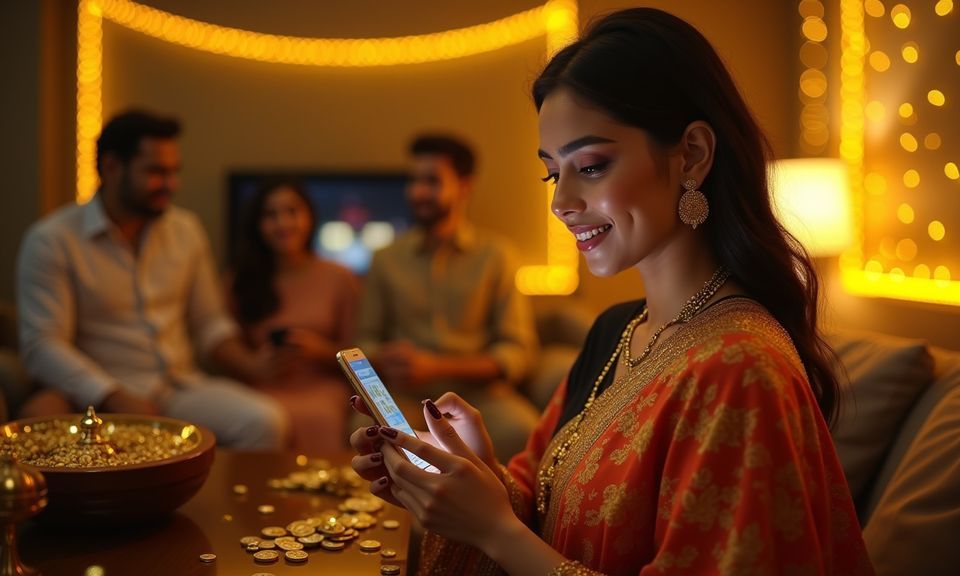
The 666bit mobile experience runs through your phone browser — no store listing required. Open the current domain, sign in with your account credentials, and your wallet, game history and account settings are right where you left them, on any device you pick up. Availability depends on your local law and eligible regions.
Mobile browser access
Account continuity across devices
Check current app availability in your account dashboard
Before you log in on a new phone, a few quick checks keep your account secure. The domain you type matters — confirm you are on the current 666bit address, not a look-alike link shared in a group chat. From there, the sign-in page shows the published recovery path if you need to reset credentials. Device guidance, where published, appears in the Help section after login.
Confirm the Domain
Always reach the lobby through 666bit. If a link in a message takes you somewhere else, close it and type the address directly. The URL bar is your first and most reliable check before entering your login details.
Review Published Device Guidance
Device compatibility notes are shown in the Help section once you are signed in. Check there for the current browser recommendations. We update that section when the supported configuration changes, so the in-account note is more current than any third-party summary.
Protect Your Credentials
Your login details unlock your wallet — including your Nagad and Rocket transaction history. Do not save your password in a shared browser profile, and avoid logging in on a device that other people regularly use without clearing the session afterward.
Use the Published Recovery Path
If you cannot get into your account, the sign-in page shows the account recovery steps we have set up. Follow those fields exactly. Do not use a third-party reset service; those are not connected to your 666bit account and cannot restore access.
APP HELP ROUTES
Getting Help When Mobile Access Has an Issue
Mobile access questions come in a few shapes — a browser that will not load the lobby, a sign-in loop after switching phones, or a wallet link that dropped after a device change. Each of these has a specific resolution path inside your account or through our support channels. The fastest starting point is the live chat icon visible on the 666bit page; it connects you directly to the support team without leaving the browser tab you are already on.
Live Chat Support
Open the chat icon on 666bit from your phone browser. The support team can walk you through a sign-in issue, a blank lobby screen or a wallet query linked to your Nagad or Rocket account — all in the same session without asking you to restart.
Email Support
For account-level issues — a blocked sign-in, an unrecognised device flag or a Bank Transfer query — email gives the team a written record to investigate. Find the current support address in the Contact section shown after you open the Help page on 666bit.
In-Account Access Guide
The Help section inside your logged-in account carries a device and browser access guide. It covers common load errors, session handling across phones and the steps to re-link your wallet after switching devices. Check there before raising a ticket — many issues are resolved in a minute.
DEVICE COMPATIBILITY CHECK
Which Devices Work with the 666bit Mobile Experience
The 666bit lobby is built to render in a modern mobile browser, which covers most phones in use across Bangladesh right now. There is no minimum OS version published at the time of writing — what matters is that your browser is reasonably current and that you are loading the page over a working data connection.
Browser Version
A recent build of Chrome, Firefox or the browser built into your Android phone handles the lobby layout without issue. If the page loads but certain game tiles do not open, updating your browser is the first step to try.
Screen Layout
The lobby adjusts to portrait and landscape orientation. Game tiles, the account menu and the wallet summary all reflow for smaller screens. If your display clips the layout, try rotating the phone or zooming out one step in your browser settings.
Account Requirements
Mobile access uses the same account as desktop. You do not need a separate login or a second registration. Your wallet balance — including any Nagad or Rocket linked amount — is visible the moment you sign in from any device.
Supported Device Check
The current list of confirmed supported devices and browsers is shown in the Help section of your account after login. That note reflects the current configuration; check it when you switch to a new phone model rather than relying on older information.
Data Connection
The lobby requires an active internet connection — it does not cache for offline use. A stable mobile data or Wi-Fi connection is enough. If live game tiles buffer, switching from a congested Wi-Fi to your mobile data often resolves it immediately.
THREE ACCESS STEPS
Mobile Access in 3 Steps
Getting the 666bit lobby onto your phone does not involve an app store or a file download. The whole process runs through your browser, which means setup takes less than a minute and works on any Android phone that can open a webpage. The steps below cover opening the site, confirming your browser handles the layout, and signing in securely so your wallet and game history load immediately.
Open the Current Site
Type 666bit directly into your phone browser. Do not follow links from unofficial sources — go straight to the address to make sure you are on our current domain before entering any credentials.
Check Browser Compatibility
The page should load the full lobby layout within a few seconds. If the layout looks broken or certain sections do not render, open your browser settings and check for an available update. A current Chrome or Firefox build resolves most display issues.
Sign In Securely
Enter your registered email and password on the sign-in screen. Your wallet — including your Nagad, Rocket or Bank Transfer balance — loads immediately after authentication. Do not save credentials in a shared browser profile.
Add to Home Screen
After signing in, use your browser's Share or Menu option to add 666bit to your phone's home screen. This places a one-tap shortcut without any APK or store installation — the page opens exactly as it does in the full browser.
RENDERED PAGE BEHAVIOUR
What the 666bit Mobile Layout Gives You
The mobile layout of 666bit is not a stripped-down version of the desktop — it is the same lobby reformatted for a smaller screen, so the game catalogue, wallet controls and account menu are all present. Games from Habanero, Pragmatic Play and JDB render in the browser without a plugin; the touch controls map cleanly to swipe and tap gestures. The account menu collapses into a reachable corner icon so the game tiles have the most space.
Responsive Navigation
The lobby menu adjusts to single-column navigation on small screens. Category tabs for slots, live casino and sports sit in a swipe-able row at the top. Switching from Sundarban Bonus Reels to the live tables section takes one tap, not a page reload.
In-Browser Game Launch
Titles from Habanero, Pragmatic Play and JDB open directly in the browser tab without redirecting you to a separate app or plugin. The game screen fills the phone display, and the back arrow returns you to the lobby tile where you left off.
Wallet Access on Every Screen
Your account wallet — showing your Nagad, Rocket or Bank Transfer balance — is accessible from the account icon at the top of every lobby screen. You do not need to return to a homepage to check your current balance between games.
Account Menu Reach
Transaction history, account settings and the Help section are all reachable from the collapsed account menu. Nothing is hidden behind a desktop-only path. If you need to check a Nagad transaction or update your email, you do it from the same phone session.
INSIDE MOBILE ACCESS
What the 666bit Mobile Web Experience Covers
The mobile web version of 666bit delivers the full lobby through your phone browser — responsive navigation, account management, game discovery and the Help section are all present. Game discovery works through the category rail at the top of the lobby: slots, live casino and sports each have their own tab, and titles like Baccarat GlistenZone, Roulette DiamondSpin and Easy Rocket Payout appear in the relevant tab without a separate search step.
APP QUESTIONS ANSWERED
Common Questions About the 666bit App
These are the questions we hear most from people trying to get the 666bit lobby working on their phone. Each answer points to a specific step or location inside the account rather than a general suggestion.
Is there a 666bit app I can download from Google Play or the App Store?
At this time, 666bit does not distribute a native app through Google Play or the App Store. Access is through the mobile browser at 666bit. You can add the site to your home screen using your browser's 'Add to Home Screen' option for a shortcut that opens the full lobby in one tap.
Can I use the same account on my phone and on a desktop?
Yes. Your 666bit account is not tied to a single device. Sign in with your registered email and password on any phone or desktop browser, and your wallet balance, game history and account settings are exactly as you left them. Your Nagad or Rocket wallet link carries across devices too.
Why does the lobby look different on my phone compared to a tablet or desktop?
The layout adjusts to your screen size automatically. On a phone in portrait mode, the game tiles stack into a single column and the menu collapses to an icon. On a wider screen, the layout spreads out. The same games and account features are available regardless of which layout your device triggers.
Is it safe to sign in to 666bit through a phone browser?
Sign-in safety depends on the browser session you use. Always type 666bit directly rather than following a link in a group chat. Avoid saving your password in a shared browser profile, and clear the session when you finish on a device that others use. The account recovery path is on the sign-in page if you ever need it.
What do I do if the 666bit lobby does not load on my phone?
First check your data connection, then try updating your browser to the current version. If the page loads but game tiles do not open, a browser update resolves most cases. For issues that persist, the live chat on 666bit connects you to the support team without needing a separate app.
Does the 666bit mobile experience support Nagad and Rocket payments?
Your wallet — including any balance linked to Nagad, Rocket or Bank Transfer — is accessible from the account icon on every lobby screen during your mobile browser session. Transaction history and wallet details are shown in the account area. Availability depends on your local law and eligible regions.
 Sports / App